
'Just learn SQL!' - Getting Setup in Databricks requires No Effort
A sharp contrast from the old days of installing a platform and tools, creating or attaching a database to work with, before finally getting down to the business of 'learning SQL'.

One of the issues I’ve always had with courses teaching database skills and working with data is the setup. I’ve been asked numerous times about the best way to go about “learning SQL” or “getting good with databases”; what they’re looking to gains skill with is working with what they have. Often, people unfamiliar with databases are looking for primers or quickstarts, a way to get the lay of the land quickly. Their company has a database, they know the data they want is in the database, but how do they get it? Maybe their ‘reporting guy’ or ‘analyst rockstar1’ just left the organization2 and suddenly all the Tableau reports are outdated3. The daily Excel flash reports sent to the C-suite are suddenly empty files. Just learn SQL! is the answer flung at the poor folks who remain, but what does that mean? What do?
You might be able to get the jist of what you’re looking for with W3 School or other self-paced learning. But for enterprise situations, “just learn SQL!” - especially if their company was using Microsoft SQL Server or Oracle - meant not just learning the SQL language or basic database definitions and theory, but gaining a familiarity with the specific platform’s tools, e.g. Microsoft’s SQL Server Management Studio (SSMS), Oracle’s SQL Developer, Postgres’ pgAdmin. And in order to use the tools in a learning situation, that meant installing the internals, the engines, the meat of the platform services themselves, requiring a heavy lift in terms of setup4. Installing hefty software, setting up your user(s) and permissions, a heap of configurations, and maybe, if you were lucky at the end of it, you’d be staring down the barrel of an empty SSMS window connected to a SQL Server Express instance running on your laptop:
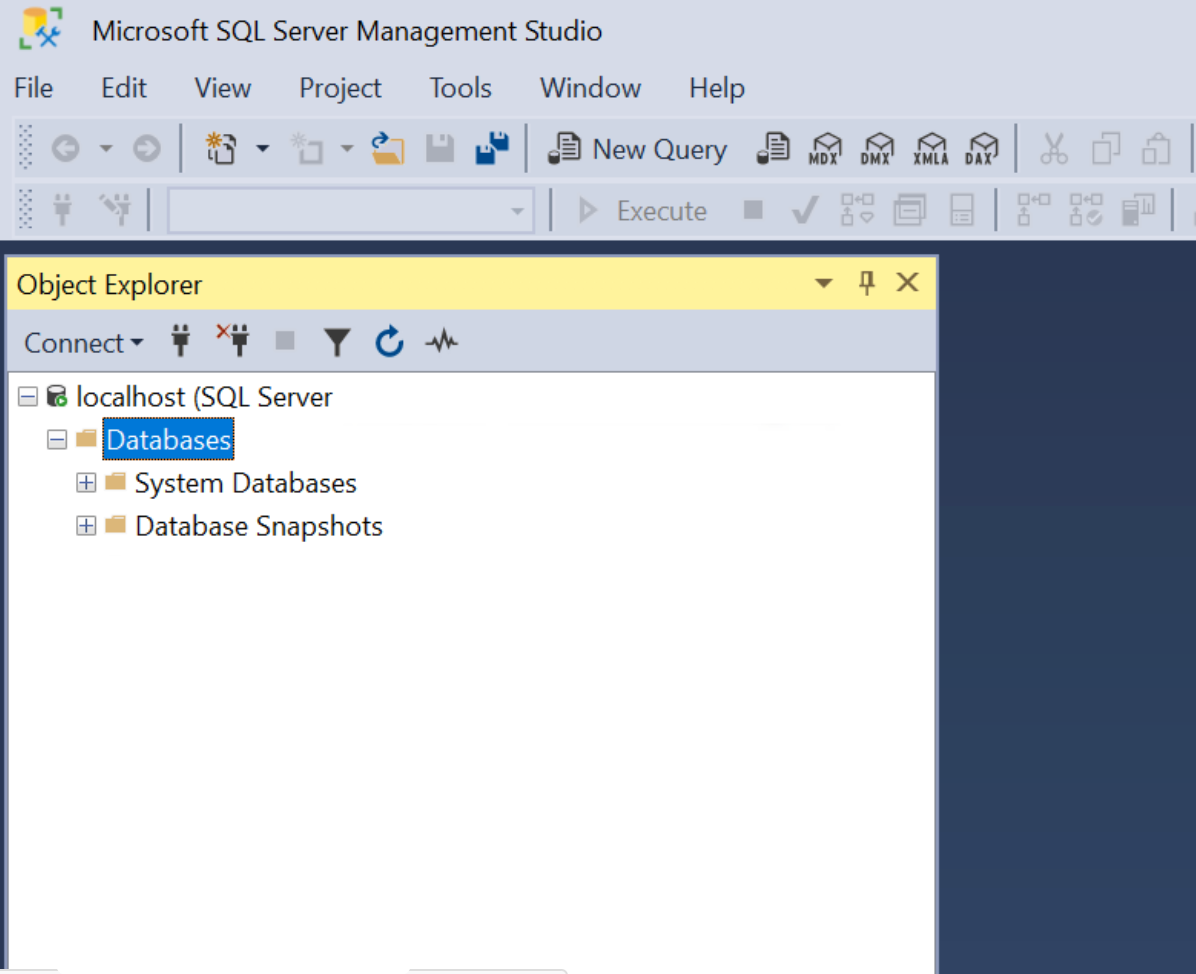
At this point, battered and bruised, you could go hunt down Adventureworks and shoehorn it into your locally running instance, and finally you have a database that you can ‘just learn SQL!’ on. All of that is a mighty lift for a beginner!
The above is to further celebrate the Databricks Free Edition. If you’re stuck in the unenviable position of needing to ‘just learn SQL!’ (and even better if your organization happens to be using Databricks), here’s your chance. No platform or internals to install locally, no arguing with your IT department to let you install a SQL client program, no fear of accidentally dropping the ‘public’ schema from Redshift and knocking everyone overboard. Databricks Free Edition gives you a chance to learn SQL (and Python and Scala!) while also becoming familiar with a true Databricks environment. Not just the SQL language and the concepts, but the particular tools and environmental quirks of Databricks, specifically.
So great! You signed up! Now what?
Oh, wait. It’s just as empty as the SSMS snapshot above.
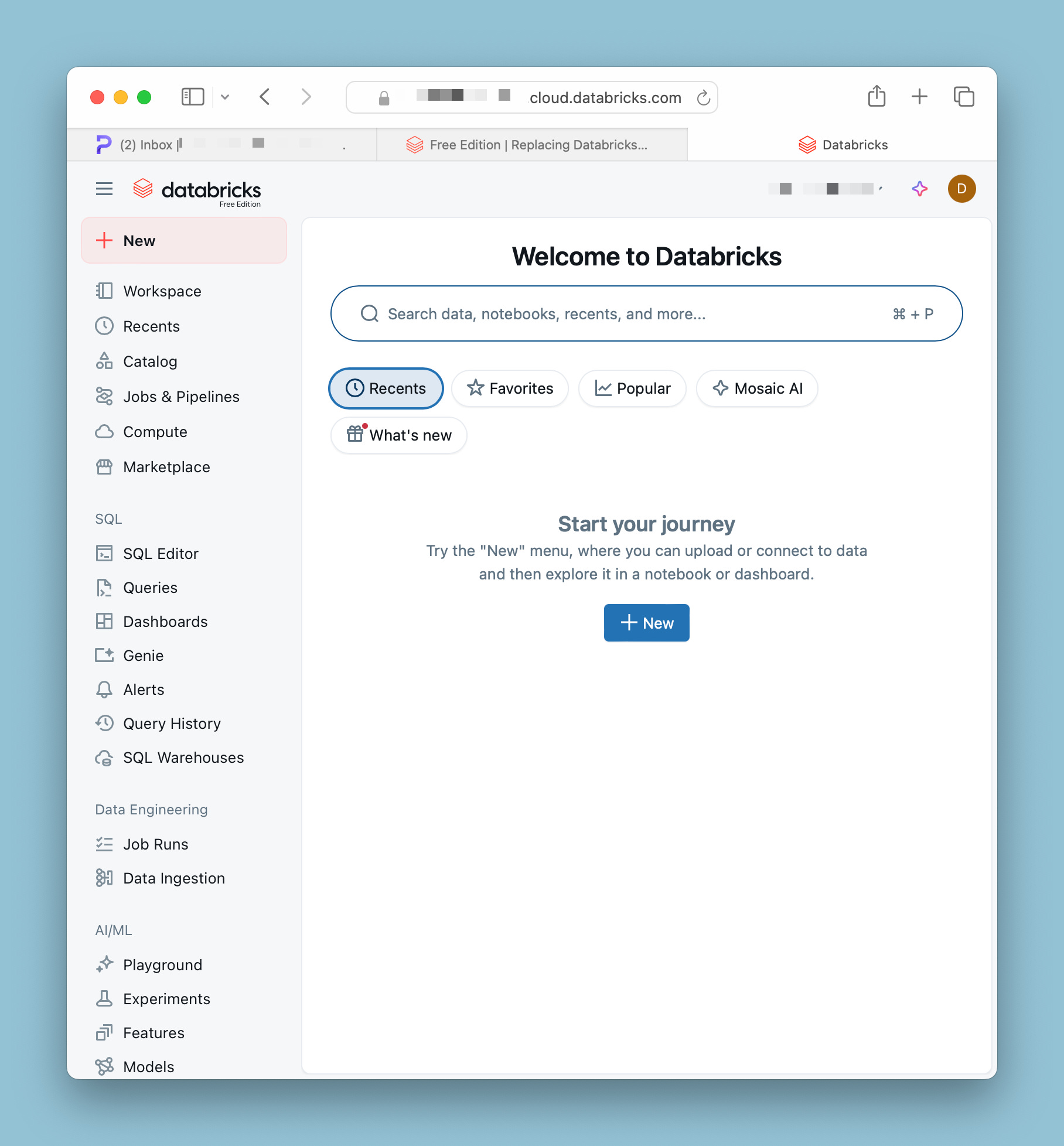
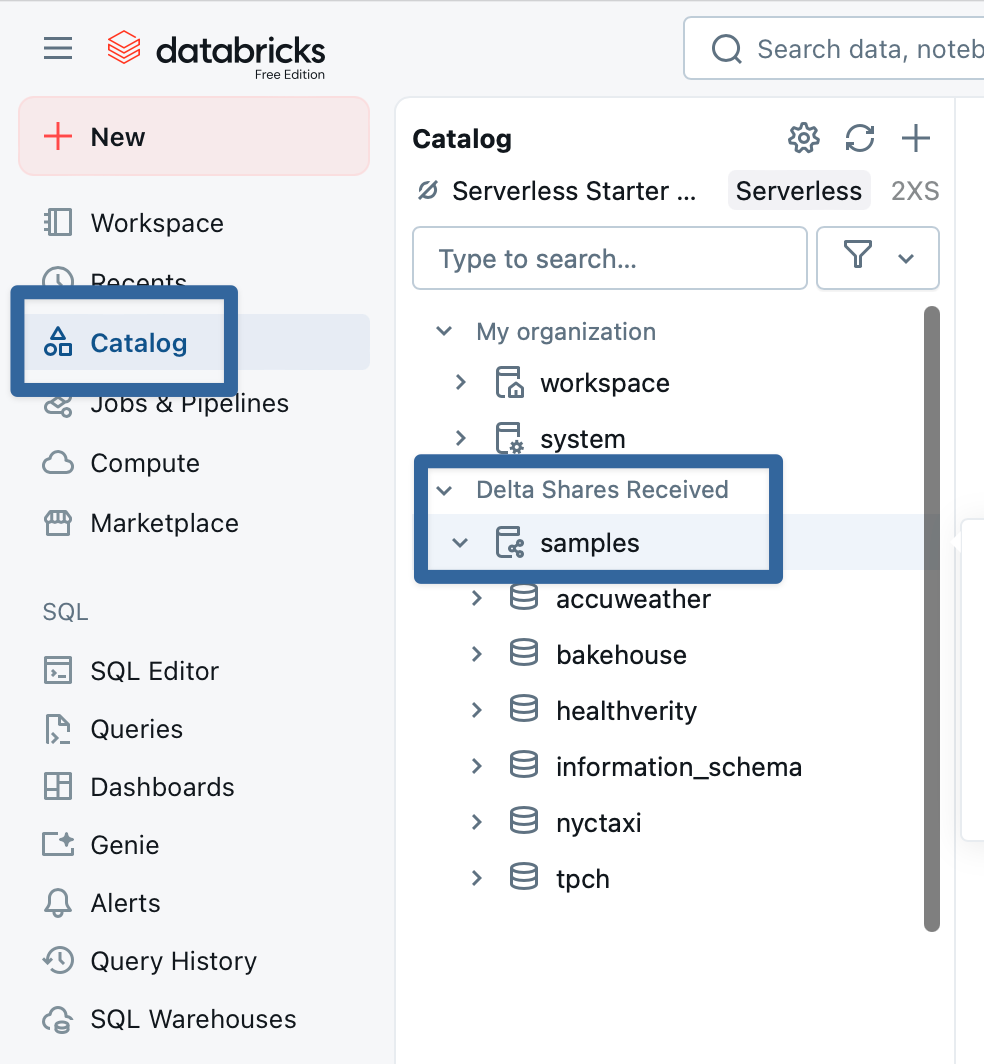
Databricks has provided some sample datasets to get started. You can go to ‘Catalog’ - your entryway into the ‘Unity Catalog5’ which I’ll get into another time - in the menu to see some of the assets Databricks has helpfully provided for you:
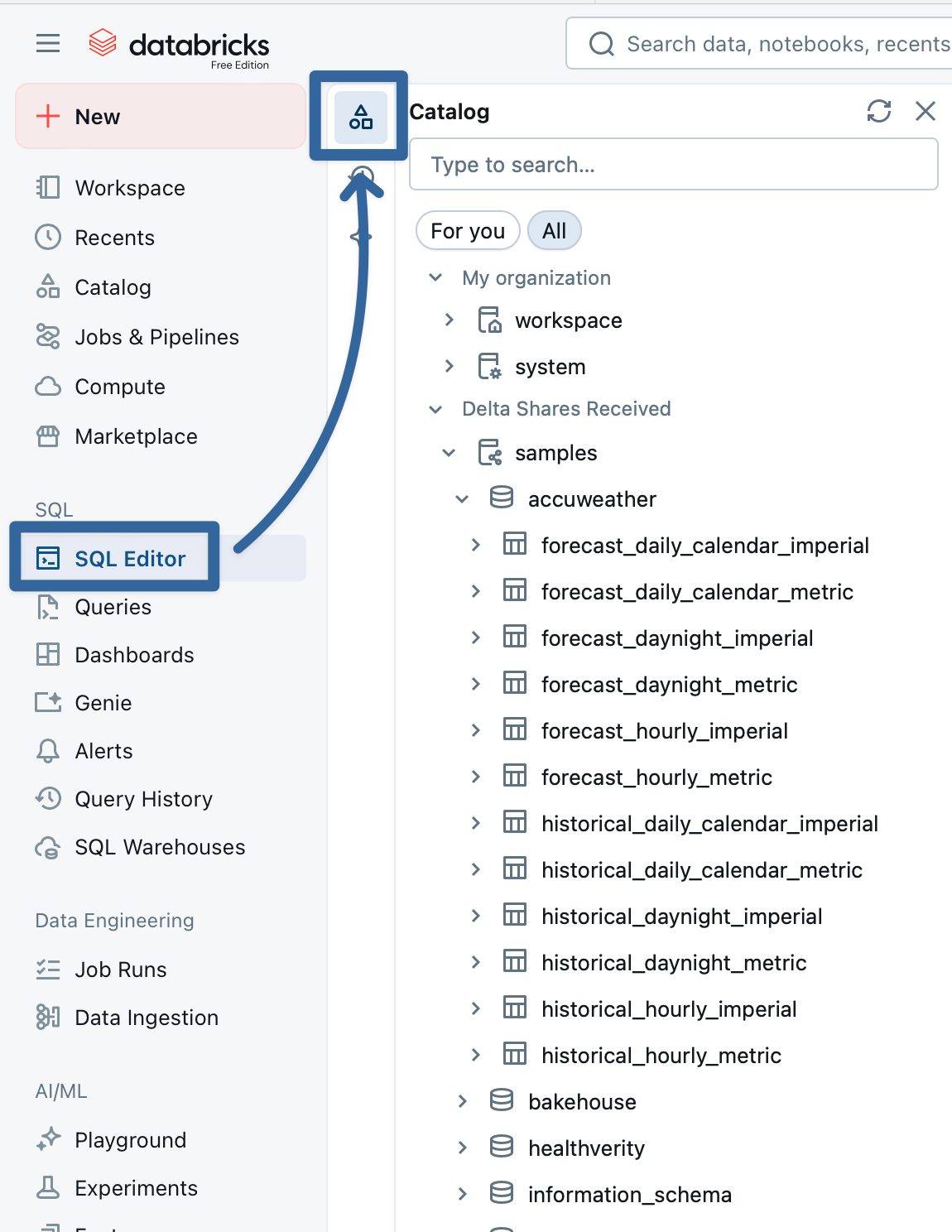
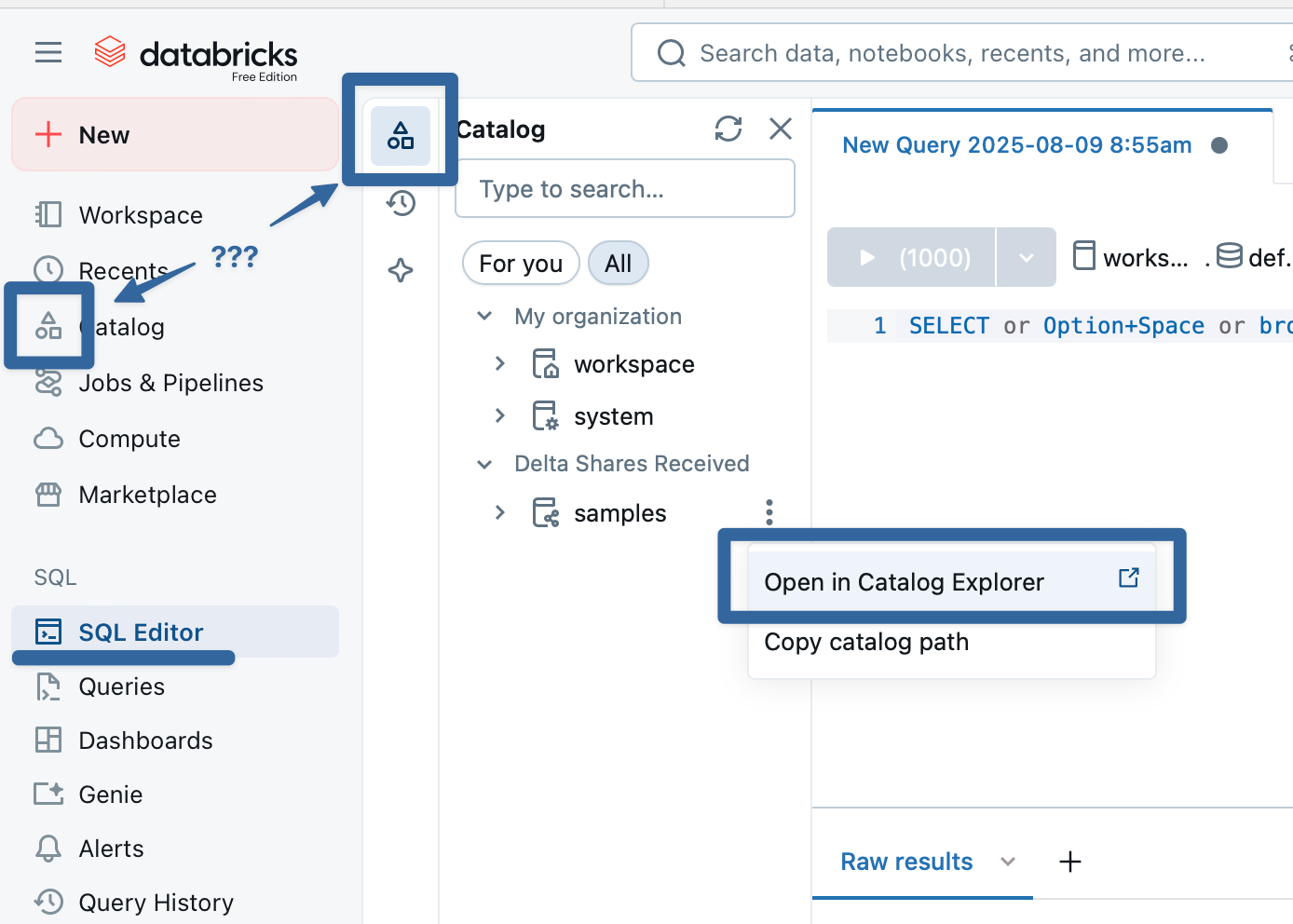
You can start working with these immediately, nothing to install or upload. If you head to the SQL Editor, you will leave the Catalog Explorer but there is a ‘mini’ Catalog Explorer that you can use to see the assets:
With everything already set up for you - the internals of platform6 are handled by Databricks, the sample databases are already present for you, there’s even a SQL IDE built into the environment - you can just go ahead and dive in with SQL experimentation:
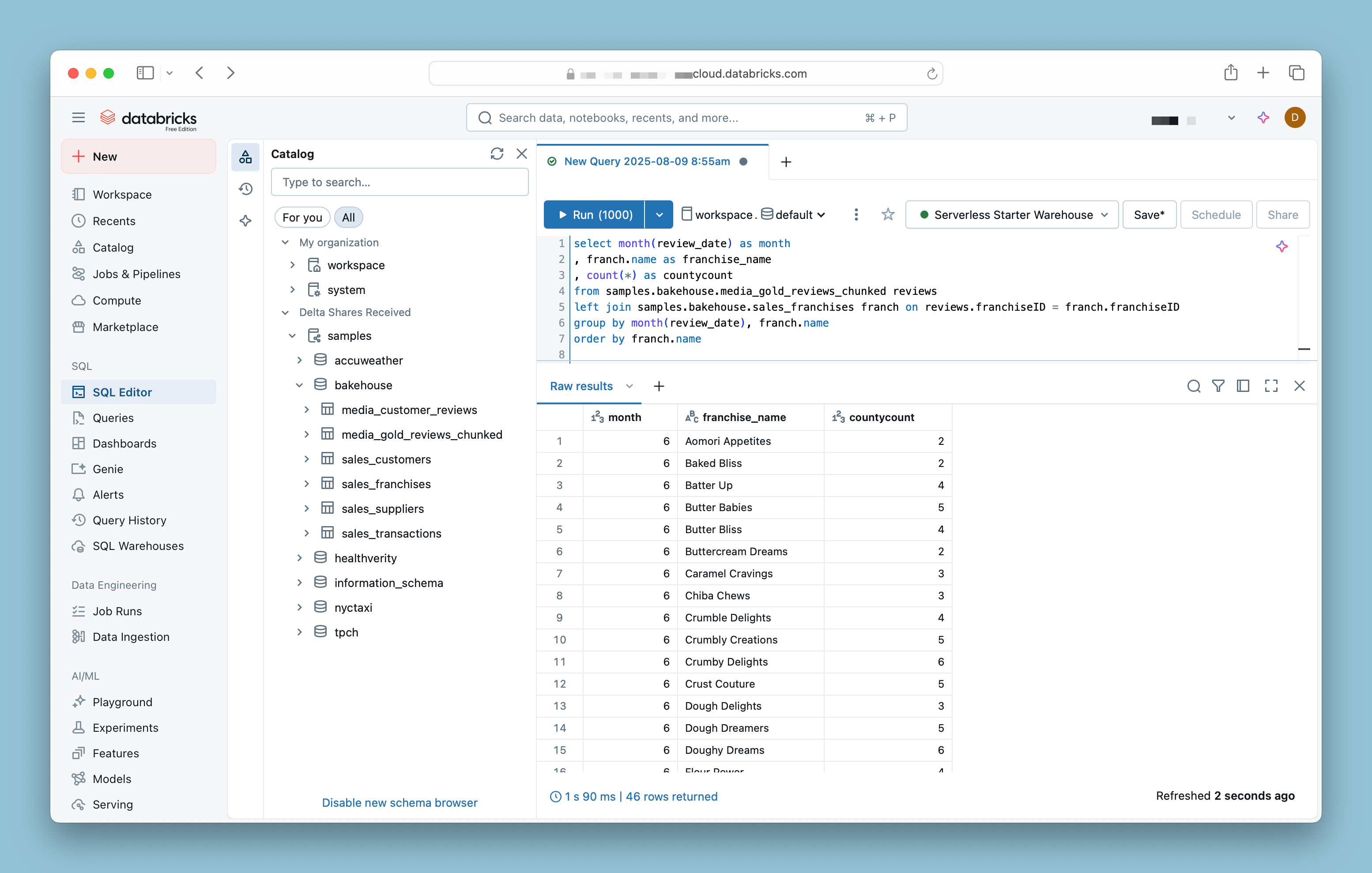
If you’ve been told ‘just learn SQL!’ or you have a colleague who’s come to you and asked for the best way to do, pointing them towards Databricks Free Edition is likely the easiest way to get them up and running quickly7.
It vexes disturbs annoys irks me when I hear “rockstar” bandied about in corporate settings. On a job post: “We’re looking for a real rockstar!” In meeting rooms: “Katie was a total rockstar on this project!” In all-hands meetings: “Frankie gets this award for always being a total rockstar!”
Have you ever actually met a rockstar, let alone worked with one? I have. They’re assholes.
They drink too much. They trash hotel rooms. They snort cocaine in your bathroom and make a scene at your dinner party. They borrow your car and don’t fill up the tank when they return it, and of course they have no idea how all those scratches got there. They try to make out with everyone. And they’re late. They’re always late.
How about ‘superstar’? ‘We’re looking for a total superstar!’ See? Shines bright, dazzles everyone in awe, doesn’t lift a 20 out of your wallet when you’re not looking. Leaves a trail of wonderstruck stargazers in its wake, instead of a graveyard of broken hearts and disillusioned friends.
The only thing worse than looking for “a total rockstar to join our team!” is a ninja. Stop looking for ninjas; you’ll never find them, that’s why they’re ninjas.
"You can’t fire me, because I QUIT!” - Overworked data analyst, probably.
Because of course there were a heap of manual bandaids to keep the reporting up to date, no doubt tracked on the data analyst’s Outlook calendar via weekly reminder to ‘update the reports’ or ‘refresh the XYZ data table’. And of course the reporting is this way because the demand was ‘GET IT DONE NOW’, not ‘get it done right’, and now we’re here where a poor project coordinator has been told to ‘GET IT FIXED NOW’.
Not that I, personally, have any weekly reminders set up like that. At least, none that I’ll admit to publically.
Just wanted to take this quick footnote to lament that in every SQL Server, Oracle, Tableau, Python, .NET, etc. course I’ve ever taken always spends a big, honking chunk of the first class (or second, or third, or…) checking with all the students if they were successful installing the software. “Did everyone get the software installed?” “Anyone still having compatibility issues?” “Is there another laptop you can borrow?”
Even virtual labs come with a heap of issues. “Looks like we don’t have enough IDs to go around.” “Okay, let’s take a 60 minute break while the virtual environment finishes getting set up.” “Looks like they accidentally gave out these lab keys to another group; I’ll have to email support and get them to issue 45 new keys for the class. Until then…um…let’s take a 60 minute break.” “Does everyone have the browser extension installed? Anyone still having compatibility issues with the browser extension? Is there another laptop you can borrow?”
Now is as good a time as any to get this out there (and I suspect I’ll lament this repeatedly): Databricks reuses terms to its detriment and to our eternal confusion. For instance:
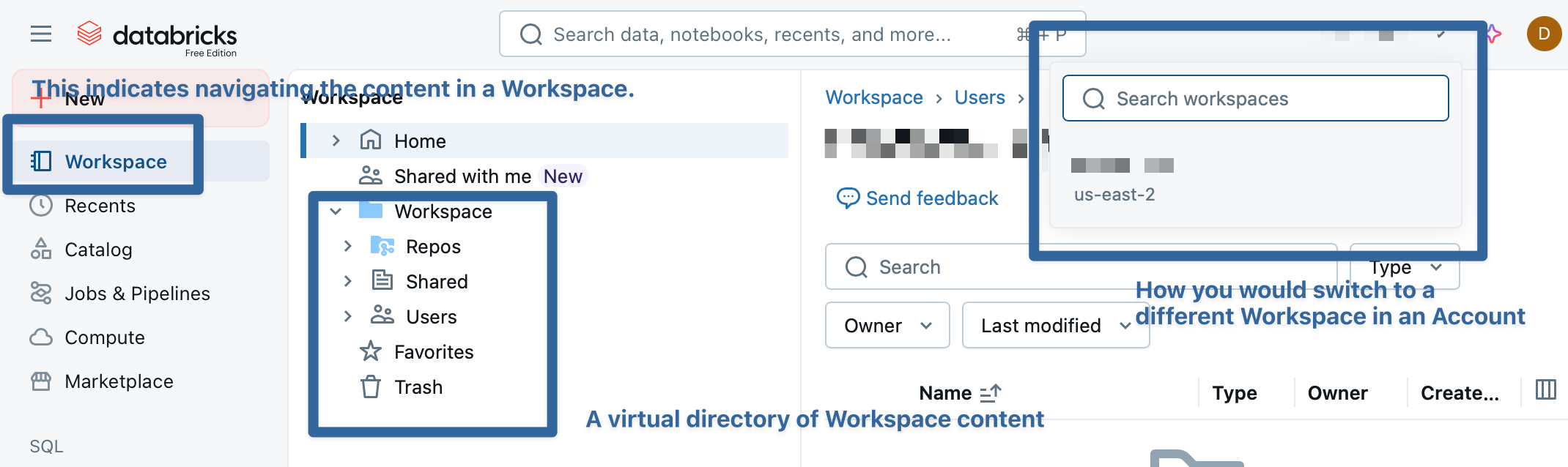
‘Workspace’ - The Workspace is kind of a ‘window’ that lets you create environments for particular purposes. For instance, you could have a Workspace for your engineering team, for your marketing team, for your sales team, each of which has different features enabled, dedicated clusters or SQL warehouses, and other assets. (These are setup in the Account level of Databricks, which you don’t have access to if you’re using Free Edition.) You could set up a ‘dev’, ‘test’ , ‘stage’, and ‘prod’ series of workspaces, and choose which catalogs (we’ll get to this in a second) are visible in each one, allowing data elevation.
HOWEVER - Workspace also appears in the side menu, and indicates the navigation UI for content (which is different than data - ‘content’ means, like, folders, notebooks, queries, dashboards, etc.) stored in the Workspace. But then when you click on Workspace on the left menu…you see another folder called Workspace, which is a directory. So in your Workspace, you can click on Workspace to navigate to Workspace to view the content in this Workspace only.
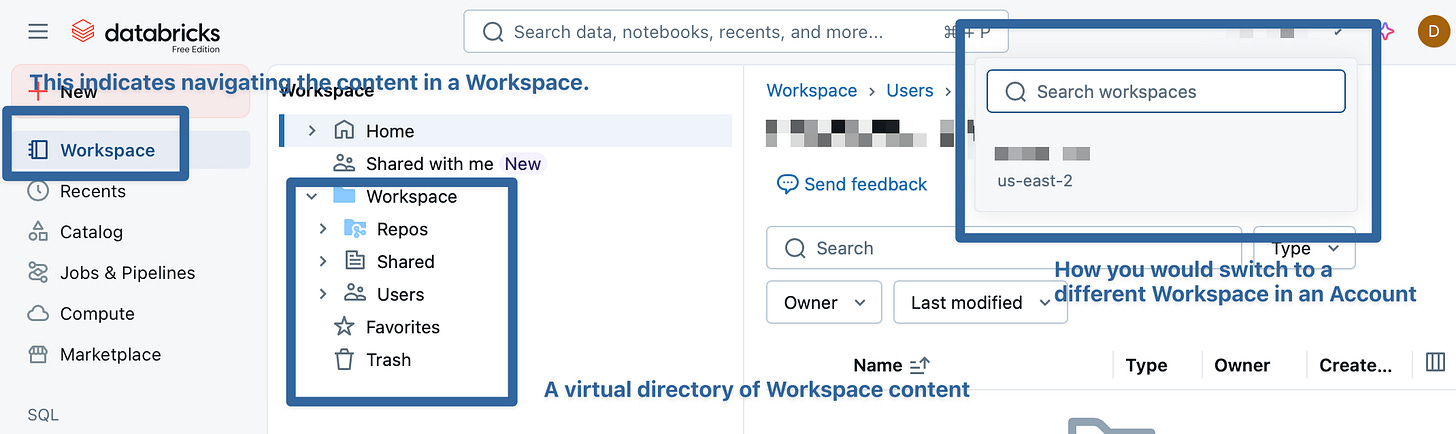
C’mon, Databricks. Get it together.
Databricks also does this with ‘Catalog’ - there’s the Unity Catalog, which you can get to by clicking ‘Catalog’ on the left….where you can see the catalogs in your Unity Catalog.
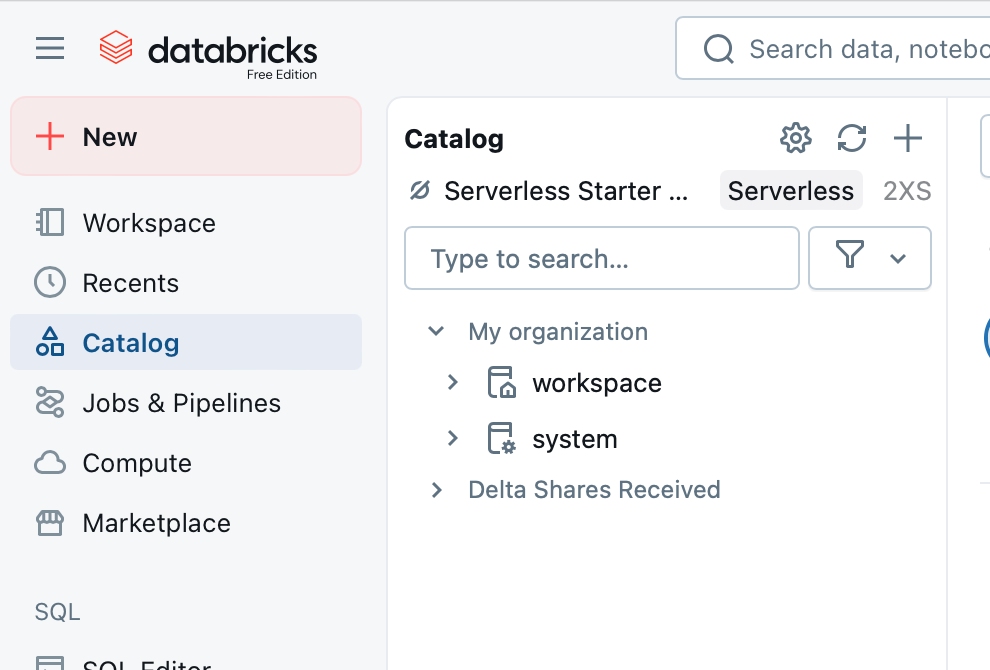
Oh, and also, while you’re working in SQL Editor or in Notebooks, there’s another ‘Catalog’ option, which you have to be a bit careful with, because you can click “open in Catalog Explorer” to accidentally boot yourself from the editor…back to the Catalog.

This really deserves it’s own blog post at some point.
Someday we’ll talk about Spark and clusters and SQL Warehouses (another case of missuse/reuse of a term that gets confusing, but I blame Snowflake for this one), but today is not that day.
Okay, sure, fine, you may still need more than this - a nice ‘orders’ database with a customer table sure would be helpful. Let me get you another blog entry.